Click a text field
Place your cursor where you want the words to go.
 Dictation Key
FREE LOCAL DICTATION FOR MAC
Speak a thought. Transcribe a recording.
Keep every word on your Mac.
Hold a key, speak, and let go.
Get Dictation Key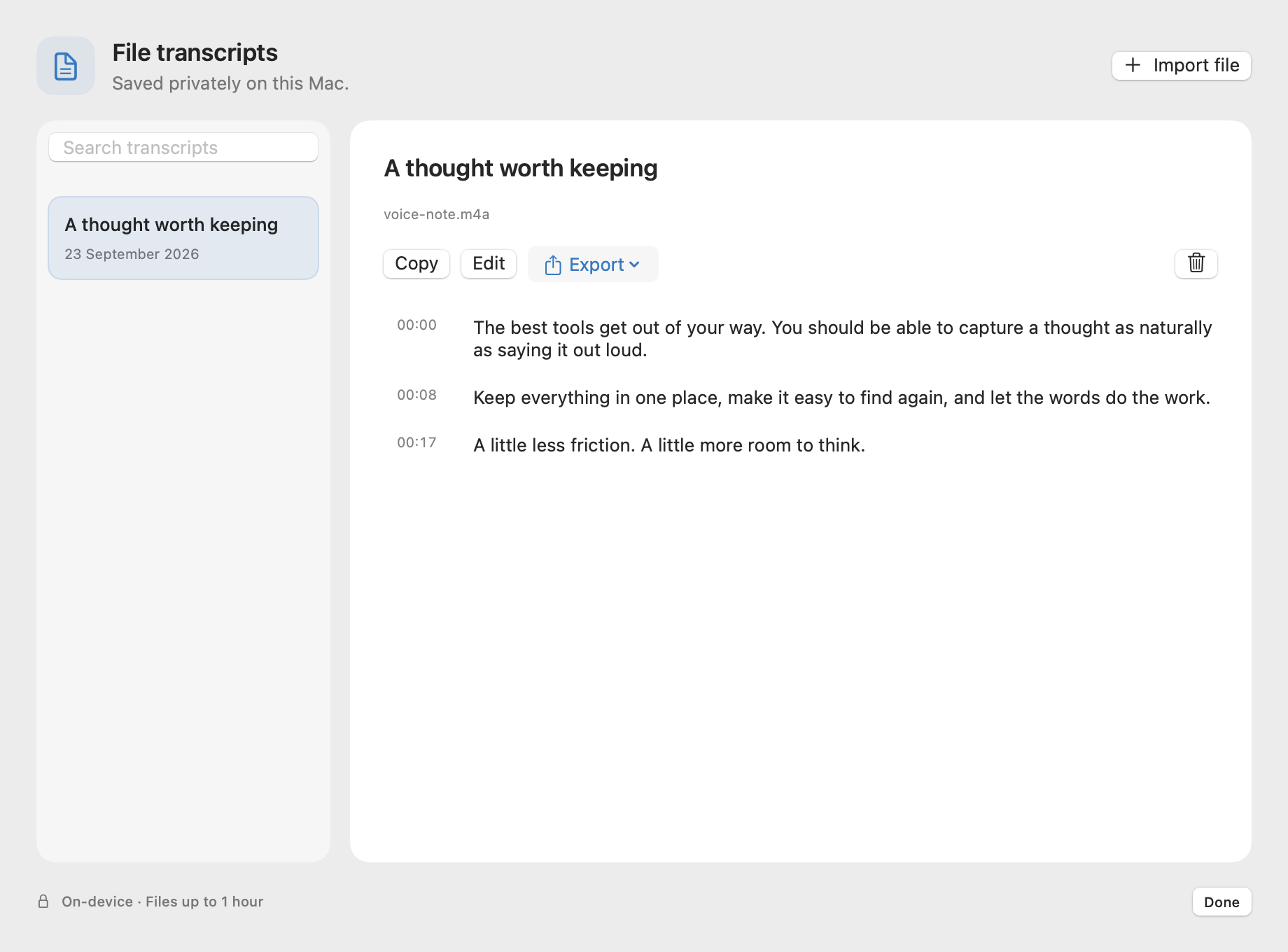
MEET DICTATION KEY
A shortcut for your thoughts. A dictionary for your words. A home for your transcripts.
24 seconds · Sound optionalOpen the filmAnimated product introduction with instrumental music. All messages appear on screen. App screenshots use sample content.
Less typing. More flow. Hold. Speak. Release. An Fn / Globe key illustrates the hold-to-dictate shortcut.
Your voice. In writing. Local transcription for Mac. The Dictation Key app appears.
Two taps. Hands free. Tap again when you’re done. An animated shortcut illustration shows hands-free recording.
Your words. Remembered. A correction changes “whisper kit” to “WhisperKit.” Save a correction. Keep your spelling. The app’s dictionary appears.
Files become words, too. Audio. Video. One library. The transcript library appears.
On your Mac. In your control. Local transcription. Dictation Key. dictationkey.com. Free for Mac.
Instrumental music and short sound effects accompany the animation. There is no narration.
01 / DICTATION
Stay in the app you’re using. Dictation Key listens when you ask, then inserts your words when you finish.
Interaction illustration · transcription starts after you finish speaking
Place your cursor where you want the words to go.
A small waveform shows that your microphone is listening.
The app transcribes your speech, then inserts the text.
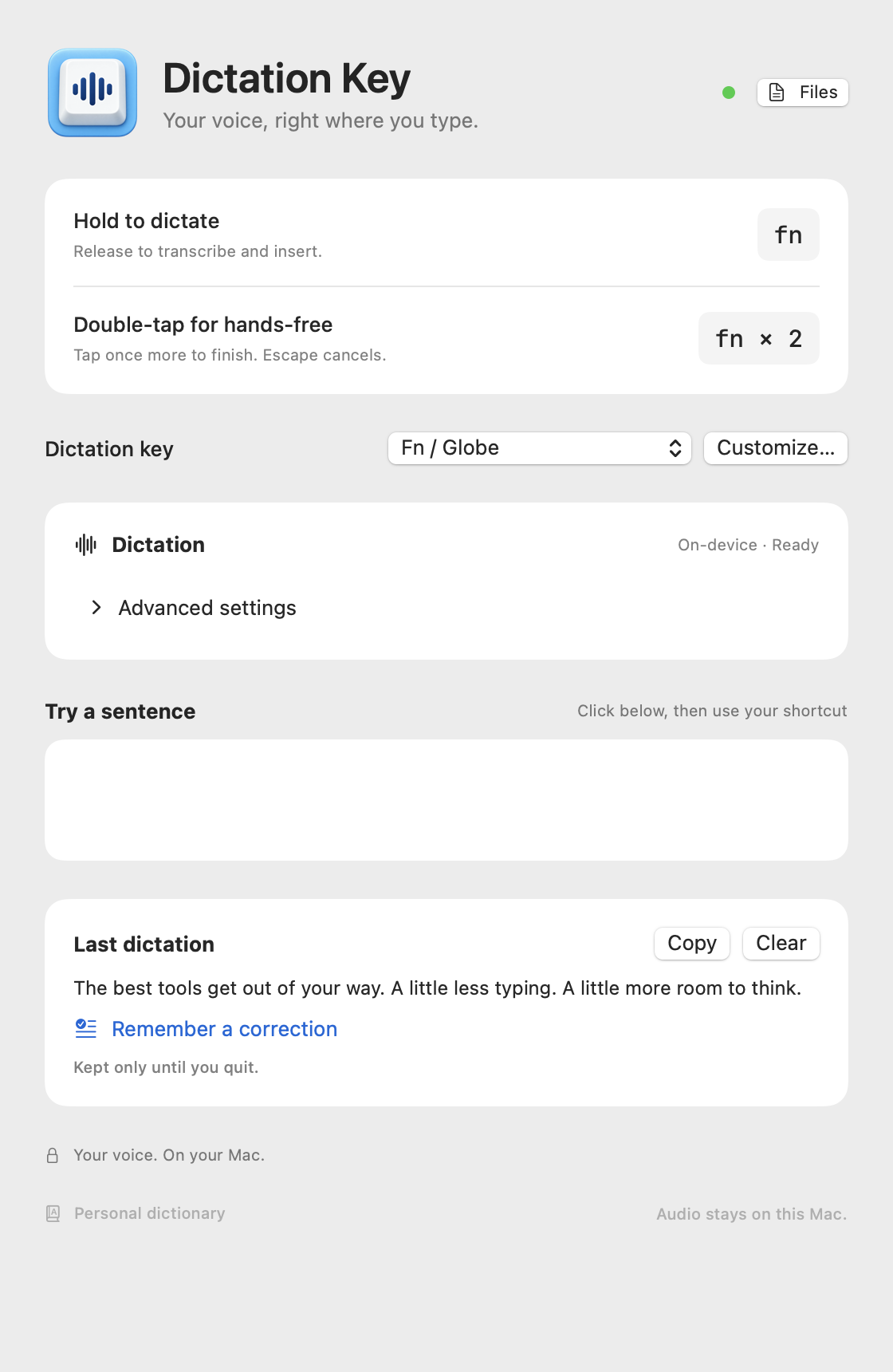
Prefer hands-free? Double-tap Fn to start. Tap again to finish. Escape cancels. You can change the shortcut in the app.
02 / YOUR SETUP
Your shortcut. Your language. Your own words. A few useful controls, right where you need them.
Save a misheard name or phrase once. Your dictionary applies that correction in future dictations.
Saved on your Mac. Always editable.
Use Fn, pick another key, or record your own combination. Hold to speak or double-tap to go hands-free.
A small recording indicator. Drag it where you like. It remembers its place.
Let Whisper detect your language, or choose one in settings.
Fast English and European dictation on Apple silicon. Whisper for more languages and Intel Macs.
03 / AUDIO & VIDEO
Import recordings up to one hour long. Read, edit, and search the transcript. Export the words or take the subtitles with you.
Saved locally. Ready to use elsewhere.
PRIVATE IS THE STARTING POINT
Your audio is processed locally. Download a model once, then dictate and transcribe offline. No account needed for transcription.
Read the privacy detailsYes. Local dictation is free, with no subscription or account required to transcribe. Your audio stays on your Mac.
Yes. Download a speech model once, then dictate and transcribe files without an internet connection.
macOS 14 or later. The universal app contains versions for both Apple silicon and Intel processors.
It records while you speak and transcribes when you finish. Hold and release Fn, or double-tap to record hands-free and tap again to finish.
Yes. Fn / Globe is the default. Pick Control or Option, or click Customize to record your own modifier-and-key combination. Both hold-to-dictate and double-tap hands-free recording work with your selected shortcut.
Only the corrections you save. Enter a misheard word or phrase and its replacement. Edit, delete, or disable these rules whenever you like. It does not monitor everything you type or train a new speech model.
The app chooses a default for your Mac. Fast dictation uses Parakeet for English and supported European languages on Apple silicon. Whisper handles other supported language modes, Intel Macs, and file transcription. You can adjust these under Advanced settings.
Microphone for recording and Accessibility for the keyboard shortcut and inserting text into other apps. Dictation is excluded from recognized password fields.
Imported-file transcripts are saved on your Mac. Your last dictation stays available until you clear it or quit. Original media files are not copied into the library.
Free local dictation for Mac. No subscription. No account to transcribe.
STAY IN THE LOOP
New features, useful tips, and first access to what we build next. The free app stays yours either way.